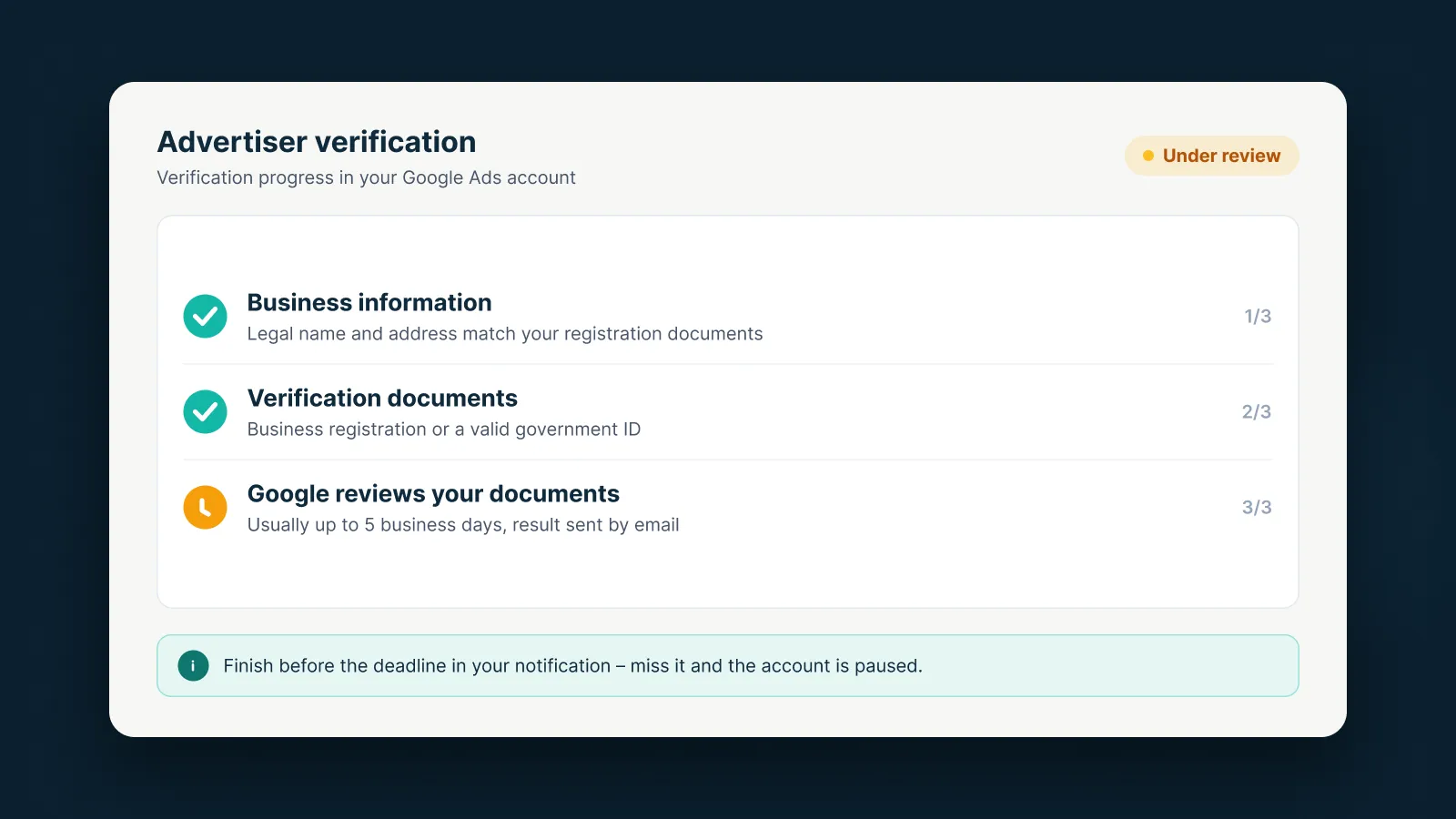
Advertiser verification is how Google confirms who is behind an ad. Some of the verified information is shown publicly in ad disclosures and the Ads Transparency Center. Google says all advertisers will eventually need to verify; selected accounts are simply asked first.
When will you be asked?
You’ll get a notification in your account and by email, with a deadline. Accounts are often selected early if they run financial services ads, show ads on brand-name searches, or are suspended and must verify before they can appeal.
The steps
- Get the notification and check your deadline.
- Answer questions about your organization – business or individual, and whether you’re an agency. Some accounts also answer questions about business operations.
- Submit documents:
- Organizations: business registration documents (or a D-U-N-S number), then confirm you’re affiliated with the organization.
- Individuals: a government photo ID, phone confirmation and possibly a video selfie.
- Wait for Google’s review – usually up to 5 business days, and up to 30 days in rare cases.
- Respond if Google asks for more information, then watch for the confirmation email.
The name and location you submit must exactly match your payments profile (for organizations, the legal name).
Why verification fails
- The name on the documents doesn’t match the organization or payments profile.
- Documents are expired, blurry or incomplete.
- Business operations answers conflict with the documents.
- The submitted name includes promotional wording, a domain, a phone number or emojis.
Each task has a limited number of attempts (for example 5 for phone verification and 5 for ID plus selfie), so prepare everything before you submit.
What if you miss the deadline?
Your account is paused and only resumes after verification is complete. Google states the deadline can’t be extended. Submitting false information can lead to suspension.
Quick tips
- Have clear, valid scans in your legal name ready before you start.
- Check that your payments profile name matches letter for letter.
- Keep an eye on your email and account notifications while you wait.
If you’re unsure how to fill it in, AdsNest can review your details with you before you submit.
Sources
AdsNest Editorial. Our articles are based on official Google Ads documentation and reviewed regularly. See our Editorial policy.


 Message on Telegram
 Message on WhatsApp