A suspended account becomes read-only and all ads stop. Google says a suspension is permanent unless an appeal succeeds – so a correct, complete appeal matters.
Before you appeal
- Read the reason in the notice at the top of the account and in the email.
- Fix the issue first: update the website, ad content or payments profile for the policy named. Google recommends appealing only if you believe there was a mistake, or once you’ve fixed the problem.
- Verify if asked: some accounts must complete advertiser verification first. Note: after 3 failed verification attempts, you can no longer appeal.
Where to submit
Click Contact us in the suspension notice at the top of your account to open the appeal form. Each suspended account needs its own appeal.
What to write
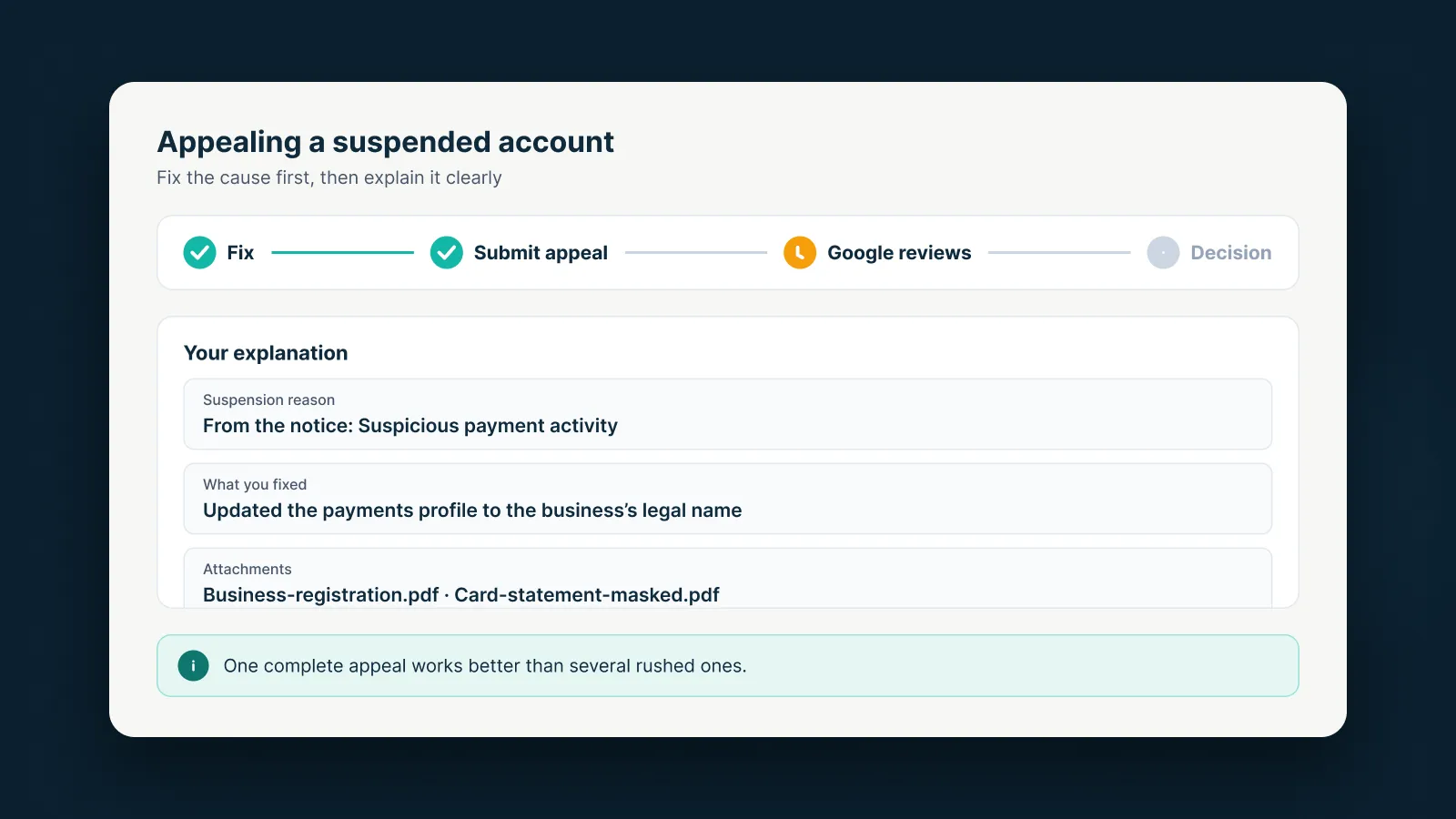
Google asks you to address each policy flagged, with specific examples. A strong explanation usually covers:
- The suspension reason – use the exact policy name from the notice.
- What you fixed – concrete and verifiable (which pages you changed, what you updated).
- Relevant attachments – business registration, a masked card statement, proof of trademark rights, and so on.
Keep it short, honest and to the point. Avoid generic templates and empty promises.
Limits to know
- Send one appeal at a time – too many may not be processed, and misuse leads to a 7-day pause.
- The account shows “Appeal pending” and the result arrives by email. If it’s rejected, you can appeal again.
- You have at least 6 months from the suspension date to appeal.
- Google doesn’t publish a fixed review time.
Don’t open a new account
Related and newly created accounts may be suspended too. Google advises getting your existing account reinstated before creating another.
Appealing to Google is free. If you’d like help analyzing the reason and preparing documents, AdsNest can support you – the final decision always rests with Google.
Sources
AdsNest Editorial. Our articles are based on official Google Ads documentation and reviewed regularly. See our Editorial policy.


 Message on Telegram
 Message on WhatsApp