Every ad is reviewed before it runs, and Google reviews most ads within one business day. If you see “Disapproved”, don’t rush to create a new ad – read the exact reason first.
Common statuses
- Under review – Google is checking the ad. Every edit restarts the review.
- Eligible – the ad can run.
- Eligible (limited) – the ad complies but can’t show everywhere, for example because of country, device, age or certification rules.
- Disapproved – the ad violates a policy and won’t show.
Where to find the reason
- Hover over Disapproved in the ads table and select Read the policy.
- Or go to Tools › Troubleshooting › Policy manager to see every issue in the account.
- You can also add a “Policy details” column to the ads table.
How to fix it
- Problem in the ad itself: edit the headline or description to follow the policy and save – the ad is reviewed again automatically.
- Problem on the landing page: fix the website, or point the ad to a page that meets the requirements.
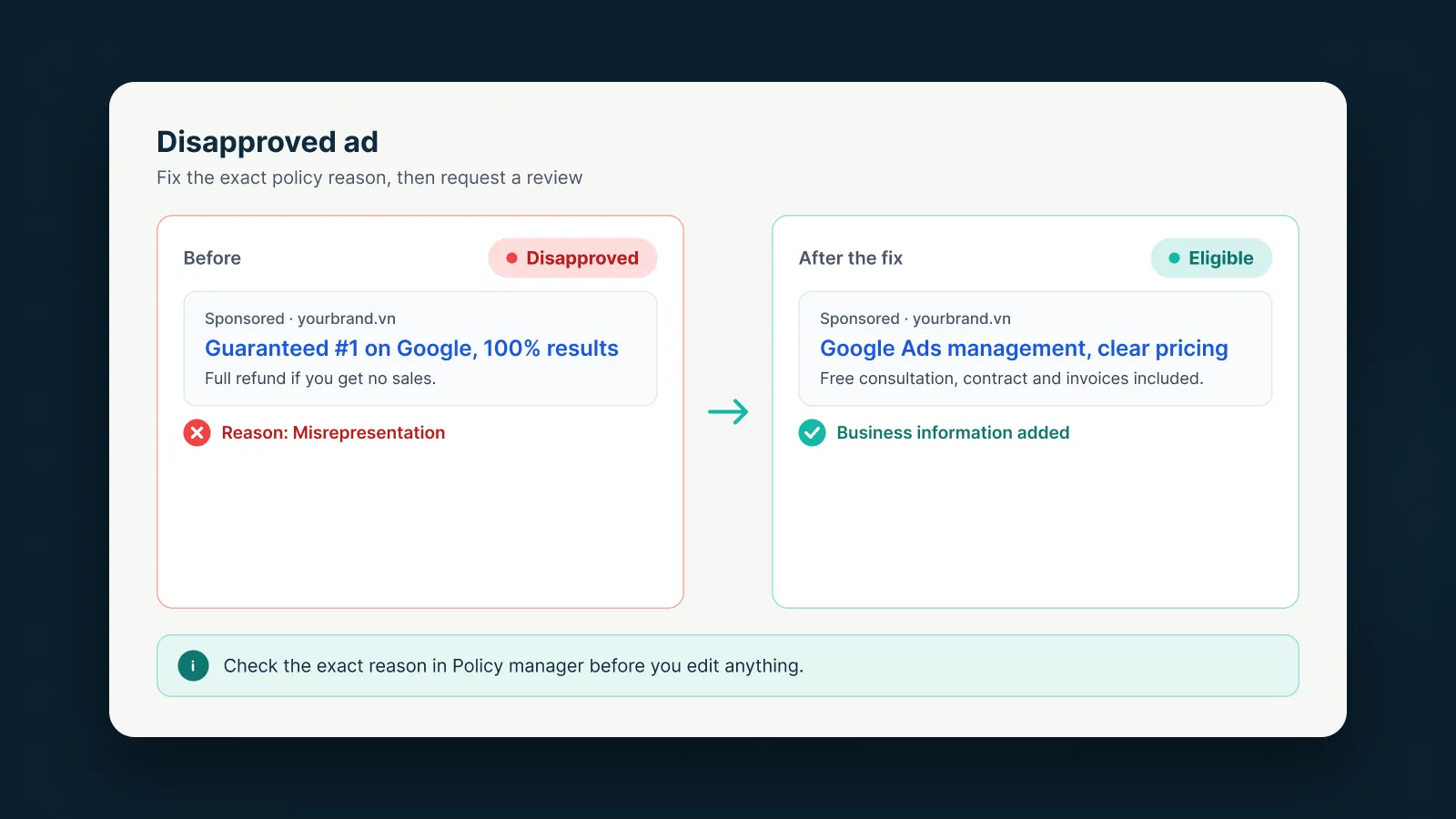
In the example above, a headline like “Guaranteed #1 on Google, 100% results” is the kind of promise that can be treated as misrepresentation. Rewriting it with specific claims and clear business information can make the ad eligible again.
When to appeal
Appeal from Policy manager when:
- You believe Google made a mistake, or
- You’ve fixed the issue and want a new review.
Limits to keep in mind:
- Each ad can be appealed up to 3 times; after that, contact support.
- Wait 24 hours between appeals for the same ad.
- Since 21 July 2026, decisions older than 6 months can no longer be appealed inside the account.
If an appeal still fails after you’ve fixed the issue, Google suggests making a small edit to the ad text or final URL so the page is crawled again.
If your ads keep getting disapproved and the reason isn’t clear, AdsNest can review your ads and landing page before you resubmit.
Sources
AdsNest Editorial. Our articles are based on official Google Ads documentation and reviewed regularly. See our Editorial policy.


 Message on Telegram
 Message on WhatsApp