Suspicious payment activity is one of the most common suspension reasons – even when there’s no intent to cheat. Most cases come down to inconsistent payment details.
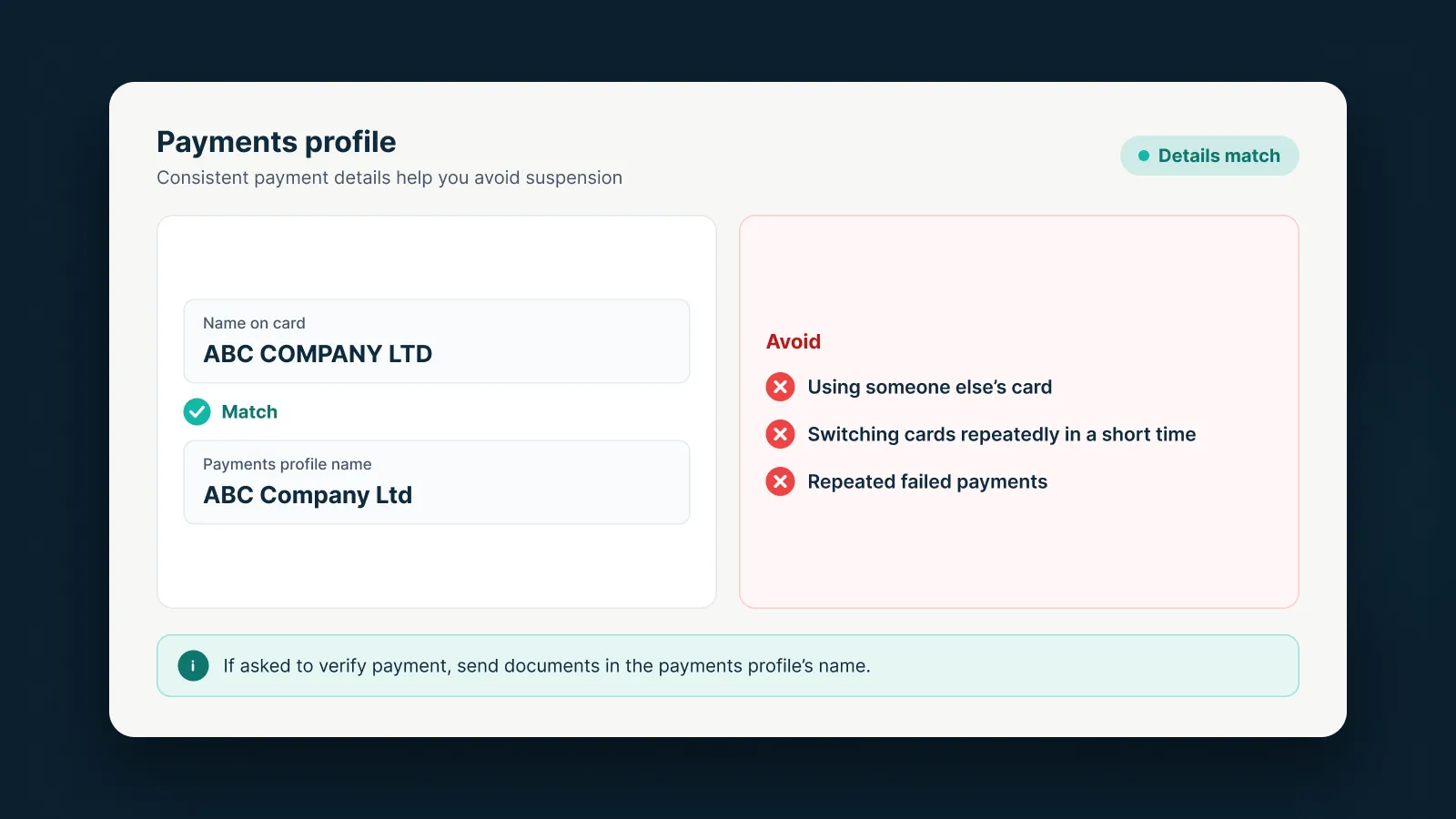
What makes Google suspicious?
According to Google, common signals include:
- Stolen cards, or using someone else’s identity for billing.
- Adding several new cards at once or switching cards repeatedly.
- Declined payments or chargebacks.
- Unclear card ownership or billing details.
Google may then suspend the account or limit spending.
Verifying a payment method
You may be asked to verify each payment method, usually within 30 days. There are three options:
- A 6-digit code from a temporary charge (up to USD 1.95, refunded).
- Making a payment.
- Sending documents: government ID, proof of address and an image of the card (partly masked).
In your account: Admin › Policy › Account › Confirm your payment method. Once verified, your appeal is sent for review automatically.
Google asks you to use the same full name on every document, and your legal name must match the payments profile.
What to avoid
- Using someone else’s card without clear permission.
- Switching cards repeatedly in a short time.
- Leaving repeated failed payments unresolved.
- Sending several appeals at once – Google handles one appeal at a time, and misuse can pause processing for 7 days.
If you’re already suspended
In your appeal, explain clearly who owns the card and why any payments were declined, and complete advertiser and payment verification if asked.
With an AdsNest agency account under our MCC, billing is set up consistently from the start, which reduces this kind of risk.
Sources
AdsNest Editorial. Our articles are based on official Google Ads documentation and reviewed regularly. See our Editorial policy.


 Message on Telegram
 Message on WhatsApp